Open the login screen
Go to the Casigood log in screen on the site or open the app.

You can use the Casigood official website login or mobile app to access your account in the United Kingdom. You sign in using your registered email address and password, and you can add two-factor authentication for extra security.
The Casigood login process is quick once your profile is registered and verified. After you log in, you can place sports bets, play casino games, claim available bonuses, and review your transactions on any compatible device.

You have several Casigood account login options in the United Kingdom, so you can sign in using the method that suits your device and habits.
Available Casigood login methods: email and password on the website, email and password in the mobile app, saved browser login, biometric sign in on supported mobile devices.
Email login is the standard Casigood sign in method and works on both the official website and the app. You only need your registered email address and your secure password, and you can access your account from any supported device.
Go to the Casigood log in screen on the site or open the app.
Enter the email address you used during registration in the email field.
Type your password in the password field, checking for any typing errors.
Click the “Login” button to complete the Casigood account login and access your profile.
You can use the mobile app for a fast Casigood sign in experience that is tailored to your phone or tablet. The app keeps you logged in for longer on your personal device compared to the browser, while still protecting your information.
Download and install the Casigood mobile app directly from this site, following the on-screen guide for your device.
Open the app and tap on the Casigood official website login button on the home screen.
Enter your registered email address and password, or use any available biometric option such as fingerprint or face recognition on your device.
Confirm the Casigood log in by tapping the “Login” button and, if you enabled two-factor authentication, enter the code sent to your chosen method.
Once signed in, check your profile, adjust personal settings, and move to your preferred sports or casino sections.
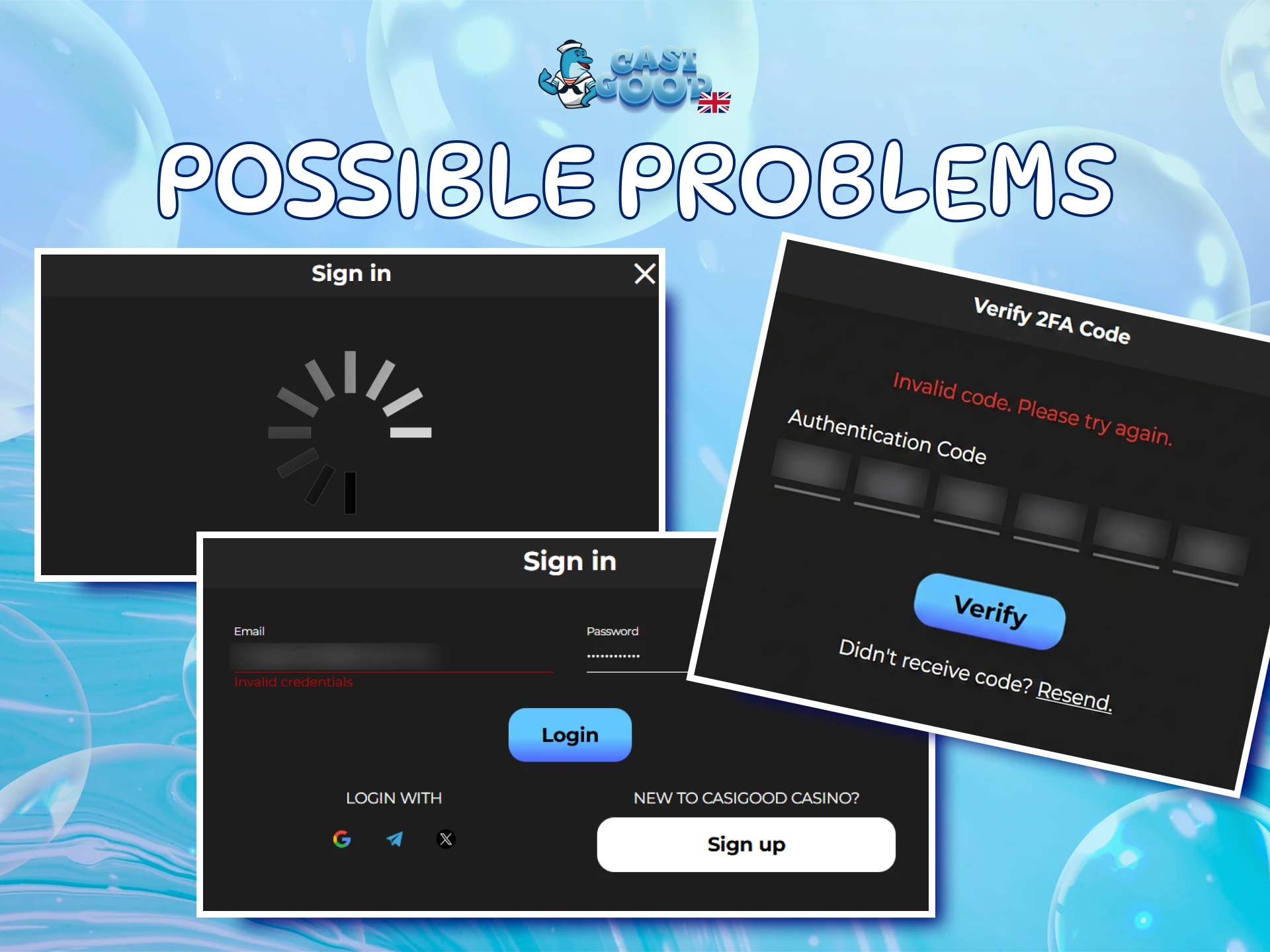
You might face a technical problem or simple mistake during Casigood login, but most issues have a quick solution. Use the table below as a guide to fix common sign in problems and regain access to your account.
| Problem | Solution |
|---|---|
| Incorrect email or password message | Check for typing errors, caps lock, and extra spaces. If you still cannot sign in, use the forgotten password function on the login screen to set a new password. |
| Two-factor authentication code not received | Confirm that your device has signal or internet access and that you entered the correct phone number or email during registration. Request a new code and avoid repeated rapid requests that can delay delivery. |
| Account temporarily locked after many attempts | Wait for the stated lockout time to pass before trying again. If you believe someone else tried to access your profile, change your password and update security details once you regain access. |
| Login page not loading | Check your internet connection and refresh the page. Try another browser or device, and clear your browser cache if the problem continues. |
| Signed in on a shared or public device by mistake | Log out at once from the account menu and avoid saving your login details on shared devices. Change your password if you think someone might have seen your sign in information. |
If you forget your Casigood login password, you can reset it directly on the site in a few short steps. You only need access to the registered email address or other confirmed recovery contact information.
Click on the “Forgot Password” link on the Casigood log in page on the website or in the app.
Enter your registered email address and, if offered, choose any available recovery method in a single step, such as email code or SMS code.
Open the message sent to your chosen channel and follow the secure reset link or enter the verification code on the reset screen.
Create a new strong password that is unique to your account and confirm it on the form.
Return to the Casigood official website login page and sign in using your email address and the new password to confirm the change.
Once your account is created and verified, go to the login page, enter your registered email and password, and click the login button to access your profile.
Yes, you can choose to keep your Casigood account login active on a trusted personal device. You should avoid this option on shared or public devices for security reasons.
If two-factor authentication is offered, you can enable it in your profile security settings so that each Casigood sign in needs a code in addition to your password.
You can request an update to your email address in your account settings. You may need to verify the new email and provide documents to protect your account.
Change your password at once, review recent account activity, enable any extra security options available, and contact customer support for further advice.
Updated: